
KINETIC LAB-Link Quick Start ① Registration and Sensor Connection
For first-time KINETIC LAB-Link users. This video walks you through AI coaching registration (STEP 1) and connecting the dedicated sensor (STEP 2), step by step on real screens. All you need is your smartphone browser, and it only takes a few minutes.
 3:49
Next video
3:49
Next video
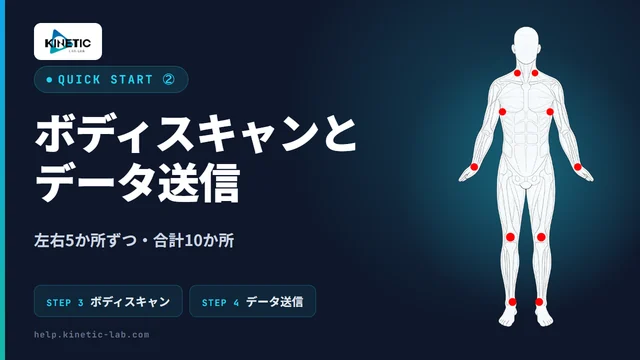
② Body Scan and Sending Data
You measure 5 points on each side — 10 in total. The exact spots are strictly defined.
Go to the video pageFull text
Transcript
The text of the video’s English subtitles. The narration is in Japanese.
Welcome to KINETIC LAB-Link. Let's go through the initial setup together. The setup has four steps. In this video, we'll cover Step 1, initial registration, and Step 2, connecting the sensor. It only takes a few minutes.
First, let's check the contents of the box. The dedicated sensor, the quick start guide, and the user manual. And B-TUBE: two in size S and two in size M.
Next, here's what you'll need to prepare. A smartphone with internet access, an external battery that connects via USB-C, and an activation code. The external battery is not included, so please prepare one separately. Activation codes are available at the KINETIC LAB STORE. If you backed us on Kickstarter or CAMPFIRE, your code has been sent by email. If you can't find it, please check your spam folder too. You can also register the code later.
Now, Step 1: initial registration. Open link.kinetic-lab.com in your browser. You can also open the same page from the QR code on the printed guide. Sign in with your Google or Apple account. No app installation is required. If you have an activation code, enter it here. If you don't have one, just proceed to the next step. You can register the code later.
Select the sports you do. You can choose more than one. Next, select the areas of your body you're concerned about. Also register your usual work situation. The AI takes this information into account when giving advice. You can change these details later on My Page.
Registration is complete. Add it to your home screen to use it like an app. Tap the Share button at the bottom of the screen and select "Add to Home Screen." From next time, just tap the icon to launch it.
Here's an important request. AI Coaching is a fully personal AI coach: one account per user. If multiple people share an account, their data gets mixed together and the AI can no longer recognize your true condition. This can lead to incorrect analysis and inappropriate exercise recommendations, so please never share your account.
Next, Step 2: connecting the sensor. The sensor has no built-in battery. Connect it to an external battery via USB-C. When the LCD screen turns on, it's ready to measure. Before you start measuring, always check the battery level and the screen display. Thread a rubber band through the slits on the unit to secure the external battery to the back or underside. This keeps the cable from being pulled during measurement and makes one-handed use easier.
That completes the setup. Next, you'll do a body scan of 10 points: five on each side. For detailed instructions, please see the help site.